
Digital Service History: How to Check It and Keep It Complete
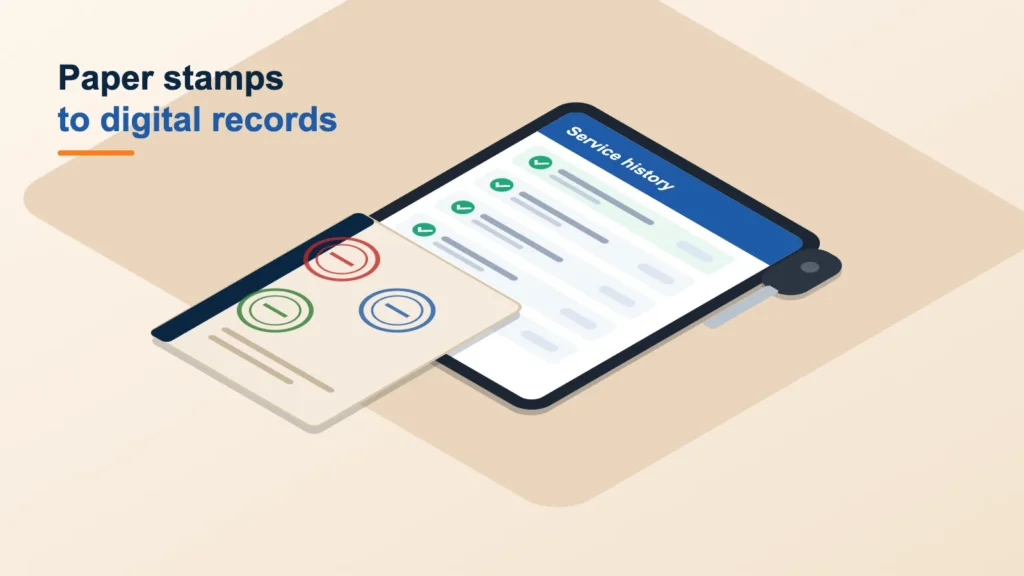
Learn how to check your digital service history, what every car service invoice should show and how to fill gaps to protect warranty and resale value.
A digital service history is an electronic record of each car service, held by the manufacturer or its network rather than stamped in a paper book. To check it, ask a franchised dealer for your make or the manufacturer's customer team, and back it up with your own invoices. A complete history protects your warranty position and helps your car sell for a fair price.
Many newer cars no longer come with a paper service book at all. That makes it easy to assume everything is recorded, when in fact a missed upload or a lost invoice can leave a gap. This guide shows you how to check, what to keep and how to fill any holes.
Paper stamps versus digital records
Both systems do the same job: proving that the car was serviced on time and to the right standard. They work differently, though.
| Feature | Paper service book | Digital service history |
|---|---|---|
| Where it is kept | In the car, usually with the handbook | On the manufacturer's system, linked to the VIN |
| How it is updated | Garage stamps and dates the page | Garage with access enters the details online |
| Risk of loss | Book can be lost or damaged | Entries can be missed if not uploaded |
| How to view it | Open the book | Ask a franchised dealer or the manufacturer for a printout |
| Best backup | Itemised invoices | Itemised invoices |
Notice the last row. Whichever system your car uses, itemised invoices are the evidence that backs everything up.
How to check your digital service history
- Find your VIN. It is on the V5C logbook, usually at the base of the windscreen and on a plate inside the door frame.
- Contact a franchised dealer for your make. Most can look up the record by registration or VIN and print or email a summary.
- Try the manufacturer directly. Some offer an owner account or app where the history is shown. Others will send it on request.
- Compare against your invoices. Check each date and mileage matches the paperwork you hold.
- Check the MOT history too. The free GOV.UK "check MOT history" service shows recorded mileages, which help confirm the timeline. See our guide on how to check your MOT due date.
Why a complete car service history matters
Warranty
Manufacturers expect servicing to follow their schedule. Under the UK block exemption, an independent garage can service a car in warranty as long as it follows the manufacturer schedule and uses parts of matching quality. The key is being able to prove it, which is where invoices and records come in. Our guide to main dealer or independent garage explains your options.
Resale
Buyers and dealers look for a full history with no gaps. A car with every car service recorded on time is easier to sell and gives the buyer more confidence about how it has been looked after.
Running the car well
A good history also tells the next technician what was done last time: when the brake fluid was changed (commonly about every 2 years), when spark plugs or filters were replaced, and which items were flagged for future attention.
Book a service that follows your manufacturer schedule, with a fixed price and parts and labour included.
What a car service invoice should show
An invoice is only useful as proof if it contains the right details. Before you file it away, check it includes:
- The garage's name and address, and the invoice date.
- Your registration, and ideally the VIN.
- The mileage at the time of the work.
- The type of service carried out, such as interim, full or major. Our guide to what a full service includes lists the typical items.
- Each part fitted, including the oil grade and quantity and every filter replaced.
- Labour, and any extra work you approved.
- A note of advisories or items to watch.
If you are not sure how a quote, estimate and invoice differ, our guide to garage quotes, estimates and invoices explains each.
Filling gaps and keeping records going forward
If a service is missing from the record
- Contact the garage that did the work and ask for a copy of the invoice.
- Ask whether it can add the service to the digital record, or send the invoice to a franchised dealer and ask if it can be logged.
- If the service was genuinely missed, book one now. Getting back on schedule matters more than the gap itself.
Good habits from now on
- Keep a folder, paper or digital, with every invoice and MOT certificate.
- Photograph or scan paper invoices on the day.
- Note the date and mileage of each service in your phone calendar.
- Ask after each service whether it has been recorded, and in which system.
With Hon Car Service, the work follows your manufacturer schedule and you get live photo updates while it is done, which adds useful evidence to your records. See how it works for the full booking steps. Work carries a 12-month parts and labour warranty.
Frequently asked questions
Does an independent car service count towards my history?
Yes. As long as the work follows the manufacturer schedule and uses parts of matching quality, it counts. Keep the itemised invoice as proof.
Can I see my digital service history online?
Sometimes. Some manufacturers offer an owner account or app. Otherwise, a franchised dealer for your make can usually provide a printout.
Is the MOT history the same as the service history?
No. The MOT history shows test results and recorded mileages. It does not show servicing. The two together, however, give a buyer a clear picture.
How do I book a car service near me that keeps my records in order?
Use our car service near me page. Enter your registration and postcode for a fixed price, and keep the invoice you receive with your other records.
Enter your registration and postcode for a fixed price, with parts and labour included.